
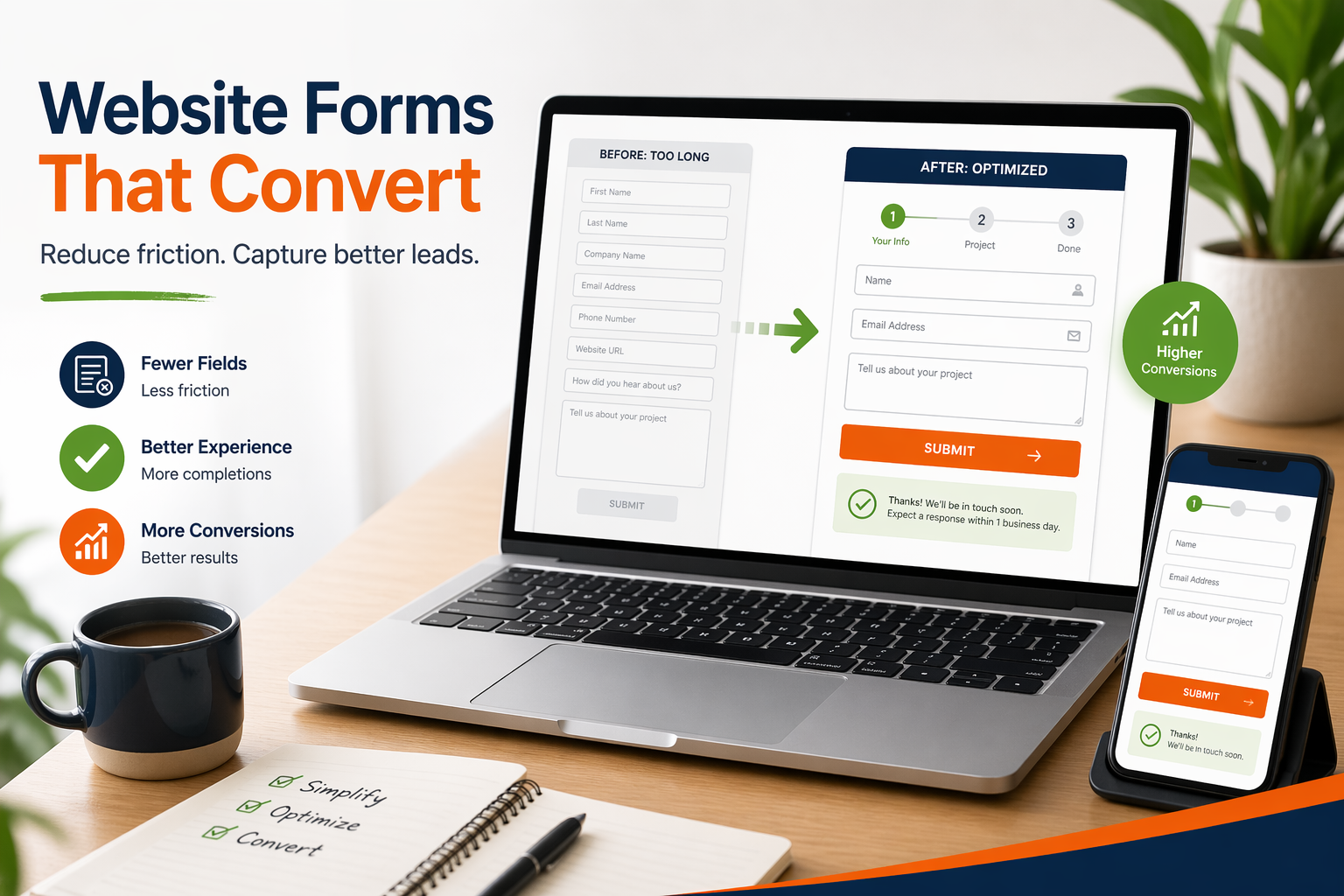
 Every form on your website is a trade-off. Ask too many questions, and visitors abandon them before they finish. Ask too few, and you end up with a list of names you can’t really do anything with.
The goal isn’t the shortest form or the longest form. It’s the form that gets you the right information from the right people, without making them work harder than they need to.
Why Form Friction Matters
When someone starts filling out your form, they’ve already decided they’re interested. If something makes them stop and close the tab, they usually don’t come back. Every field that causes someone to give up is a sale or an inquiry walking out the door.
The research on this is consistent. Shorter forms tend to get filled out more often than longer ones. Going from eleven fields to four, for example, can meaningfully lift completion rates. That doesn’t mean every form should be three fields. A mortgage application needs more than a newsletter signup. The point is that each field has a cost, and you should be able to justify why it’s there.
People also scan a form before they start typing. If it looks long, some bail before they type a single character. Others quit halfway through when they hit a question that feels intrusive or pointless. What you want is momentum, not a wall.
The Hidden Cost of Asking for Everything
Before you design a form, answer one question: what’s the smallest amount of information I need to take the next step with this person? For a quote request, that’s usually a name, email, phone number, and a short project description. For a newsletter signup, just an email. Anything beyond that is “nice to have,” and nice-to-have fields aren’t free.
A few common culprits show up on forms that don’t need them:
- Company size, when you’d follow up the same way regardless
- Industry, when your service applies to pretty much anyone
- Job title, when you’re going to have a conversation anyway
- Detailed budget ranges on a first-contact form, before any trust is built
Here’s the counterintuitive part. Long forms don’t just reduce the number of signups. They often reduce the quality too. When a form is painful, the people who push through are the ones with the highest tolerance for annoyance, not necessarily the ones most likely to buy. Shorter, well-designed forms frequently produce both more leads and better-fit leads.
Multi-Step Forms: Breaking It Into Digestible Chunks
A multi-step form spreads the same questions across two or three shorter screens instead of one long page. On paper, it’s the same amount of work. In practice, it almost always performs better. A short first step feels manageable, and once someone has answered a couple of easy questions, they’re more likely to finish.
A good rule: lead with questions that matter to the visitor, and save the ones that matter to you for later. If someone is requesting a quote, the first step should be about their project. What they need, when they need it, not about them. Ask for contact details next. Save background questions like company size for the end, if you need them at all. People are more willing to share information once they’re invested in the process.
Smart Field Design
Mark required fields clearly and label optional ones as optional. Don’t make people guess. Error messages should tell visitors exactly what to fix in plain language (“Please enter a valid email,” not “Invalid input”).
Modern browsers can autofill names, addresses, and phone numbers, but only if your form fields are coded to support it. That’s a one-time setup that pays off forever. A visitor who can fill your form with one tap on their phone is far more likely to finish.
Speaking of phones, a large share of your form traffic is mobile, and that changes what “easy” looks like.
- Use a date picker, not a free-text field where people guess your preferred format
- Trigger the numeric keypad automatically for phone numbers
- Trigger the email keyboard (with the @ symbol) for email fields
- For short option lists, use buttons or radio inputs instead of fiddly dropdowns
Testing and Measuring Your Forms
You can’t improve what you don’t measure. Three numbers are worth watching: completion rate (of people who start the form, how many finish), submission rate (of everyone who visits the page, how many submit), and qualified lead rate (of submissions, how many turn into real conversations or sales). A form can have a great completion rate and still be a bad form if it attracts the wrong people. Look at the full picture.
The cleanest way to improve is to test one change at a time. The original against a version with one fewer field, a different field order, or a multi-step layout. Most serious form builders have analytics built in, showing where people drop off and which fields cause the most errors. You don’t need every tool on the market, but you do need something.
Form Storage and Data Reliability
This is the part of the conversation that usually gets skipped, and it causes the most avoidable pain. Many older forms work like this. A visitor fills it out, the site fires off an email, and that email is the only record. If the email never arrives, gets caught by a spam filter, or is accidentally deleted, the lead is gone, and you don’t even know it existed. That’s not theoretical. You usually find out months later when someone says “I filled out your form and never heard back.”
The fix is straightforward. In addition to emailing a notification, the form should save every submission to a database on your site or in a connected system. That way:
- If the notification email is lost, the entry is still there waiting for you
- You can search past submissions, export them, and see patterns over time
- If you add a team member, they can see the full history without digging through your inbox
Bringing It Together
Good forms are less about clever tricks and more about respect. Respect for the visitor’s time, respect for your own data by making sure every entry is captured, and respect for your business by tracking what’s working.
If your current forms feel like they’re leaking leads, or you’ve ever had that sinking feeling of finding a submission that never made it to your inbox, it’s usually not a big project to fix. If you’d like a second set of eyes on your website forms, I’m happy to take a look and share what I’d change. No pressure, no jargon, and a clear explanation of what’s worth doing and what isn’t.
With Wheaton Website Services, we can help you effectively design your form for maximum conversion, usability and data retention. Contact us today to learn how we can help.
Leave A Comment